Install the Recoup Skills & Plugins Marketplace on Claude Desktop
By Sidney Swift

The Recoup Skills & Plugin Marketplace turns your AI agent into a music industry expert. Install it once and Claude becomes a deal flow ninja - ingesting seller data rooms, normalizing royalties, detecting anomalies and producing source-cited dashboards, memos, PDFs, and more.

Time to install - 5 min
Step 1
Open the Claude Desktop app
Select Cowork at the top left
Click the “Customize” tab

Step 2
Select the “Plugins” tab

Step 3
Click the “Add plugin” + icon

Step 4
Hover over “Create plugin”
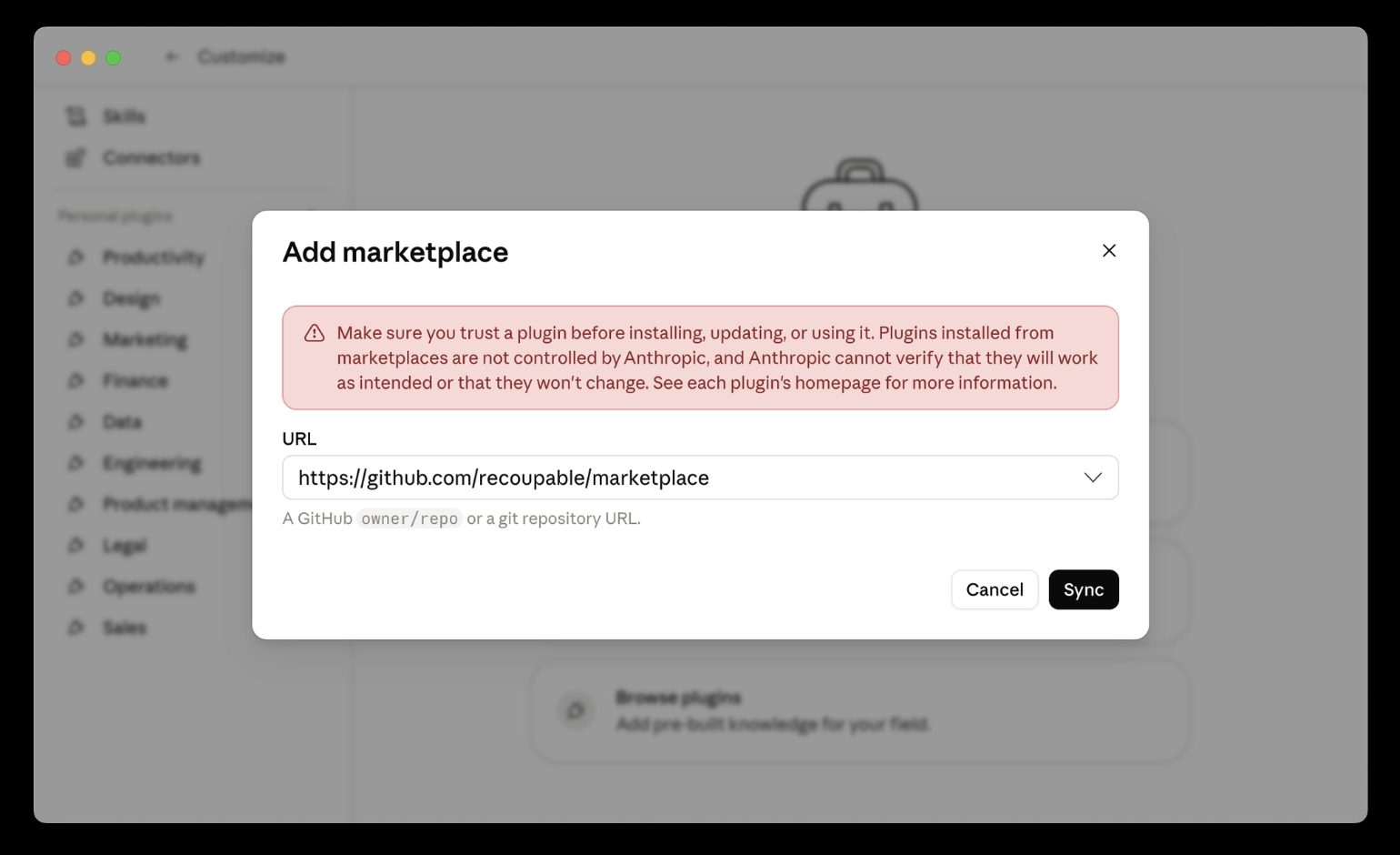
Click “Add marketplace”

Step 5
Copy this URL: https://github.com/recoupable/marketplace
Paste into the dropdown and press enter
Click the “Sync” button
Step 6
Click the + icon on “Recoup catalog deals”
Click the + icon on “Recoup platfom plugin”
Click the + icon on “Recoup content plugin”

Step 7
Restart Claude
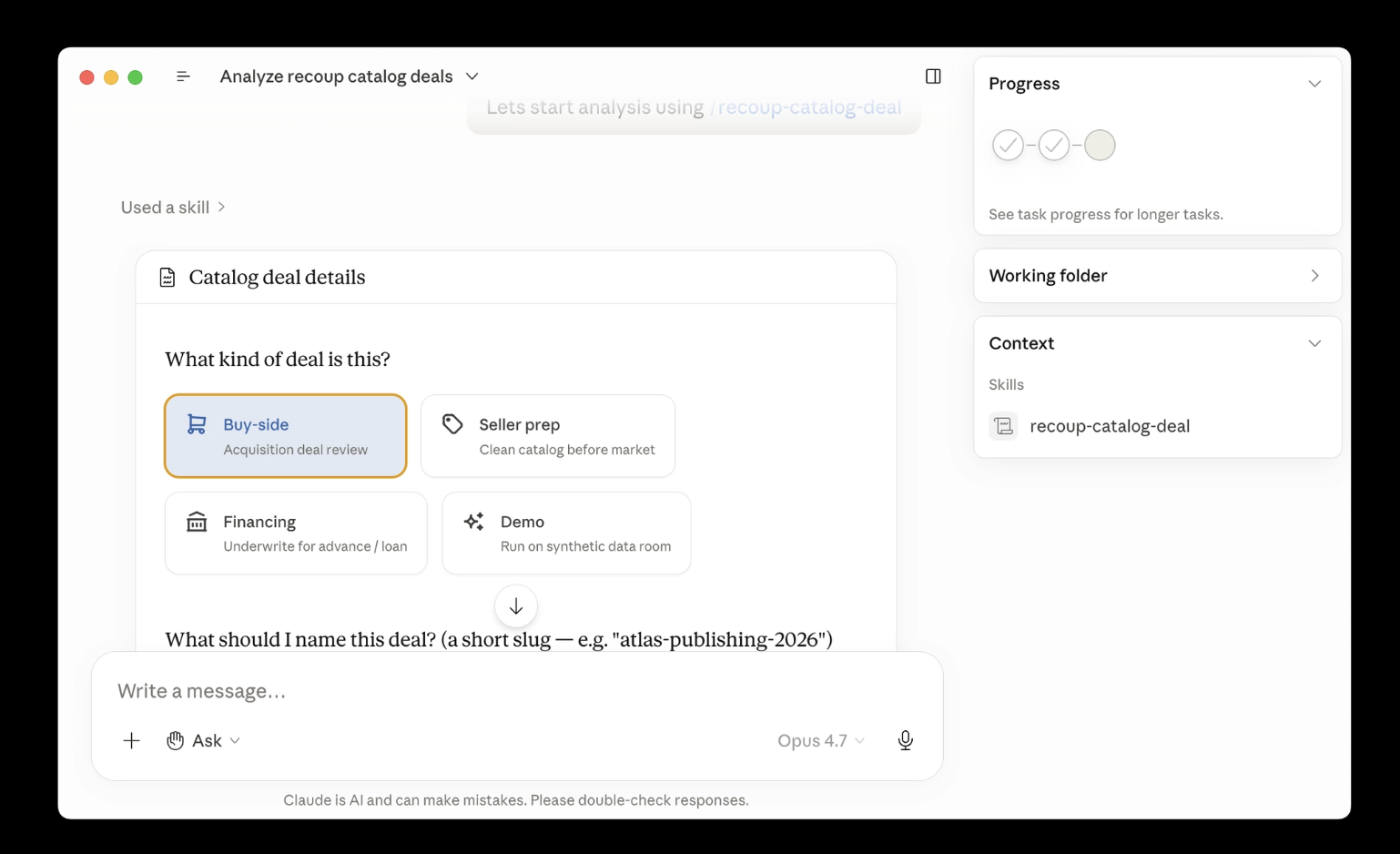
Then use this prompt: “Lets analyze using /recoup-catalog-deal”

Step 8
Choose deal type
Choose deal name
Step 9
Click “Choose Files”
Select a data room

Step 10
Wait 10 minutes
Open the dashboard
Verify an email results
Celebrate 🎉

Closing
If you're a catalog company, record label, or music distributor that wants to increase revenue, lower headcount, and move faster - Recoup can help. With custom built AI agent solutions, models, adoption and training across your entire organization.
Contact sidney@recoupable.com for more info.